I was recently reviewing this scenario with a client. In my last company we used to run a lot of scheduled email systems for notifications. That was great in practice but in testing we had to make sure we didn’t send test emails to live account. We really wanted to test the email system (and we hadn’t yet isolated the email for unit testing), so we needed to catch emails and stop them from being forwarded.
After a little searching I set up Jeff Brown’s Loopback Mail Server. In retrospect, this is one of my most favorite test tools. It’s simple. It works. It requires you buy a library, but that’s pretty cheap.
Having spent hours and hours trying to figure out how to get MediaPlayer to work properly on a thread for my last video project and now an audio streaming app, I found there’s an easier way.
player = new AsyncPlayer(TAG);
player.play(this, Uri.parse(stream), false, AudioManager.STREAM_MUSIC);
For some reason the PocketJourney streaming tutorial for Android 1.0 keeps ranking in all my searches, which is generally too bad because that’s way out of date (incidentally, here is the newer version for 1.5 and later). You don’t need to buffer or double buffer media for the media player anymore. However, the comments on there helped me find AsyncPlayer as well and the 3GP file that Anthony posted to test this.
Now, the next step is to figure out how to get MediaPlayer (which underlays AsyncPlayer) to play an MP3 stream. I don’t know why it won’t, as MP3 is a supported type, but it plays nothing for my test stream.
Update Removed the link to the old streaming article in the hopes that the new one will rank better.
Update Android SDK doesn’t support streaming MP3 (shoutcast) until 2.2 (FroYo). To stream an MP3 stream on earlier OS versions you need to double buffer it either using the PocketJourney code above (which is not very good — it stutters) or using a built-in proxy as the NPR News app does.
This class includes a queue so that only a single image is loaded at a time. I chose this because in building a list view with images it’s more important to start loading some images than to wait for all images to get loaded. Other implementations of this kind of thing launch a separate thread per image which means that the network connection would be clogged with all the image loads.
You’ll notice the use of SoftReference here, which I gleaned from Tom van Zummeren’s tutorial. While this appears to work well, I haven’t done any significant load or performance testing, so it may not be necessary.
There are some notable problems here in the design, so please adapt this to your need. Beyond the potential race condition noted below, there’s a basic problem in that the thread completes once the queue is done. So if the images happened to load faster than you add them to the queue you could end up with a queue that was emptied, the thread died and future items were never loaded. I’ve tried to work around this by capturing the TERMINATED state of the thread and relaunching it, but have not, as far as I know, tested this in production. And I’ve built no automated tests to test that case yet.
I have a list of items in my mobile application. Each item in the list contains an image and a title. The data for the list comes from a remote web service, RESTful interface or other Internet connection and the images are provided in a separate call. I want the list to be responsive, so I’ll load the list and then in a separate thread I will update the images in the list as they are loaded from the network.
I struggled with this on the BlackBerry where there was little similar code to go on, but got it working. I just finished an Android app and discovered that we had the same pattern. Trying to re-use my BlackBerry code I found that the UI patterns don’t translate (beyond frameworks, Android recycles views while it’s rendering to keep memory-use low).
There are lots of posts on the web about how to do this for the Android, such as this thread.
Unfortunately all of those ran into the same problem: Sometimes the images would load and sometimes they wouldn’t. Sometimes the images in the list would be the wrong one for the list item when rendered. And some solutions only rendered images that were off screen.
The Bathroom Project which led into removing old insulation and rewiring, now is almost back on track to focus on the bathroom. Over the last month L and I installed new denim insulation into the attic crawlspace next to the bathroom. What a difference it makes!
I spent quite a while researching insulation options, including a really helpful article in Fine Homebuilding (November, 2009) about how insulation works. What I got from that was that spray-foam would be the most efficient, cellulose-type second most efficient and fiberglass least efficient. I couldn’t do spray-foam because I don’t have full walls. The back of the wall and the top floor of the crawl space are unfinished, of course. Also, spray-foam would make it hard (I’m guessing) to add wiring or pipes down the road. And the more I thought about it the less I wanted to work with fiberglass. My choice was to pay a pro to install fiberglass or we could install cellulose ourselves.
I saw the denim batting at a friend’s house and it looked soft enough to sleep on. Comparing the costs and thinking about what I wanted in there, I really prefer something less harmful and less toxic. There’s a local resource (EcoHaus) for Bonded Logic’s UltraTouch Natural Cotton Batt insulation. L called them up and got a quote. The price was reasonable and they deliver. Easy to get. They even got it here in two days. Continue reading “Insulating the Attic”→
The Asus Eee PC T91MT is a tablet format netbook with multi-touch support on the screen (as well as the trackpad). It shipped with a 1.33Ghz processor, 1GB RAM and Windows 7 Home Premium. As mentioned before, this start up was really slow. It didn’t get any better. I don’t know if it’s Windows Home Premium or the 1.33Gmhz processor, but it really wasn’t fast enough to use. Everything needed to wait for a response. I get frustrated with my G1 phone doing this, but I put up with it. No way would I put up with this on my netbook. I suspect that the tablet and multi-touch drivers also slow this down a bit. Bottom line is that I know I bought a reference machine for cutting edge ideas, but until they can get this faster and under $400 it’s probably not going to see much traffic. Still, would love to see more multi-touch tablets in the market.
Toshiba Mini
The Toshiba Mini performed much better. It shipped with a 1.6GHz processor and Windows Starter. The Windows Starter version pisses me off. I mentioned it before, but it seems ridiculous to think I would pay a $90 premium on a $300 netbook to upgrade the OS that shipped with it. Here’s what really grinds my gears: you can’t change the default background of the desktop in Starter edition. You have to pay to upgrade for that privilege. The gall! No wonder small device manufacturers are looking to Android and other low-cost OSes.
Other than that, the Mini was usable and extremely portable. Like I have heard in all the marketing, it’s really easy to pick up the netbook and go. If one of them really did have a 10.5 hour battery life, well, it would be awesome. Although the keyboard was small, and I made lots of typing errors. Still with the errors, the typing was faster than an iPhone or G1.
One of the fun things about remodeling an old house is seeing all the ways previous owners have gone about solving problems. During my workings I’ve come across some hardware that I’d never seen or heard of before.
I just finished rewiring (almost) all the second floor outlets and (almost) all the first floor overhead lights. This wasn’t really in the plan. While working on the second floor bathroom remodel, I discovered that the crawl space between the bath and the roof line was filled with old (probably 50’s) rock wool insulation with knob-and-tube wiring running through it. These days, code does not allow you to insulate (with any kinds of insulation) over knob-and-tube. It’s a fire hazard. So I decided that we needed to fix this. That meant removing the old insulation. (Incidentally, Fine Homebuilding suggests that it’s fine to leave it there and just add more insulation over it. Oh well.) Then I needed to replace all the knob and tube that was in the crawl space. Turns out it’s all the original wiring for the house overhead fixtures and second floor outlets.
So, I went around the house and over the past several months replaced a fixture or run at a time. This turned out to be extra difficult when the original bungalow was built with joists going inline with the peak of the current roof. So a later addition added cross beams and proper joists in the new area. Oh and all my first floor ceilings are 10-12 inches below the original ceiling but still plastered. Of course I didn’t want to make holes in the ceiling or walls if I didn’t have to.
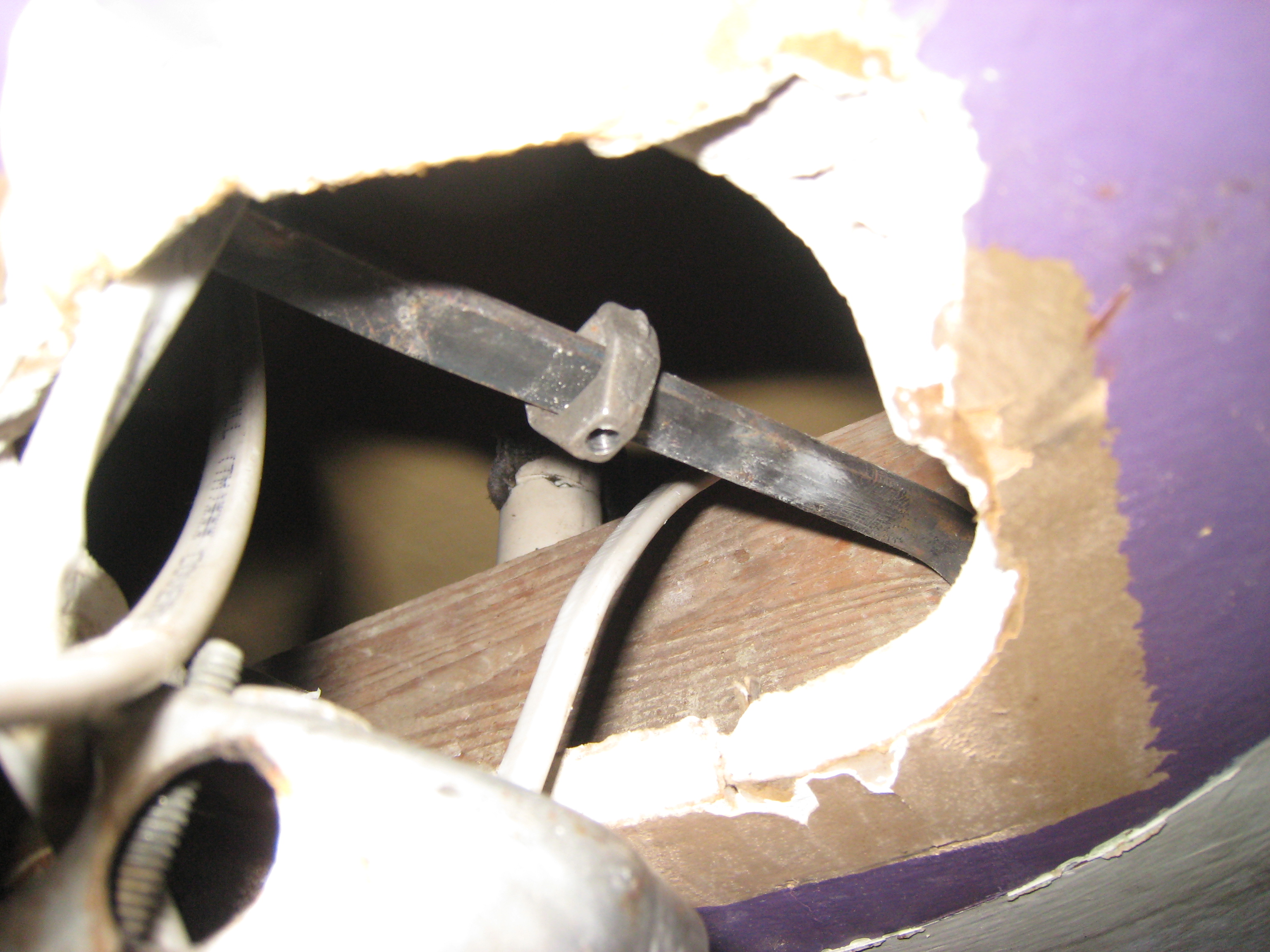
Ceiling mount bracket
To support the fixtures that were suspended in these sub-ceilings, they installed brackets that can be nailed or screwed into the joists. Fortunately the sub-ceiling also has joists running through it. There are two types of brackets I found. The one at right was more common. As you can see the bracket is a metal rod on which a triangular nut can slide. The movable nut allows the ceiling box to be attached at any point between the studs.
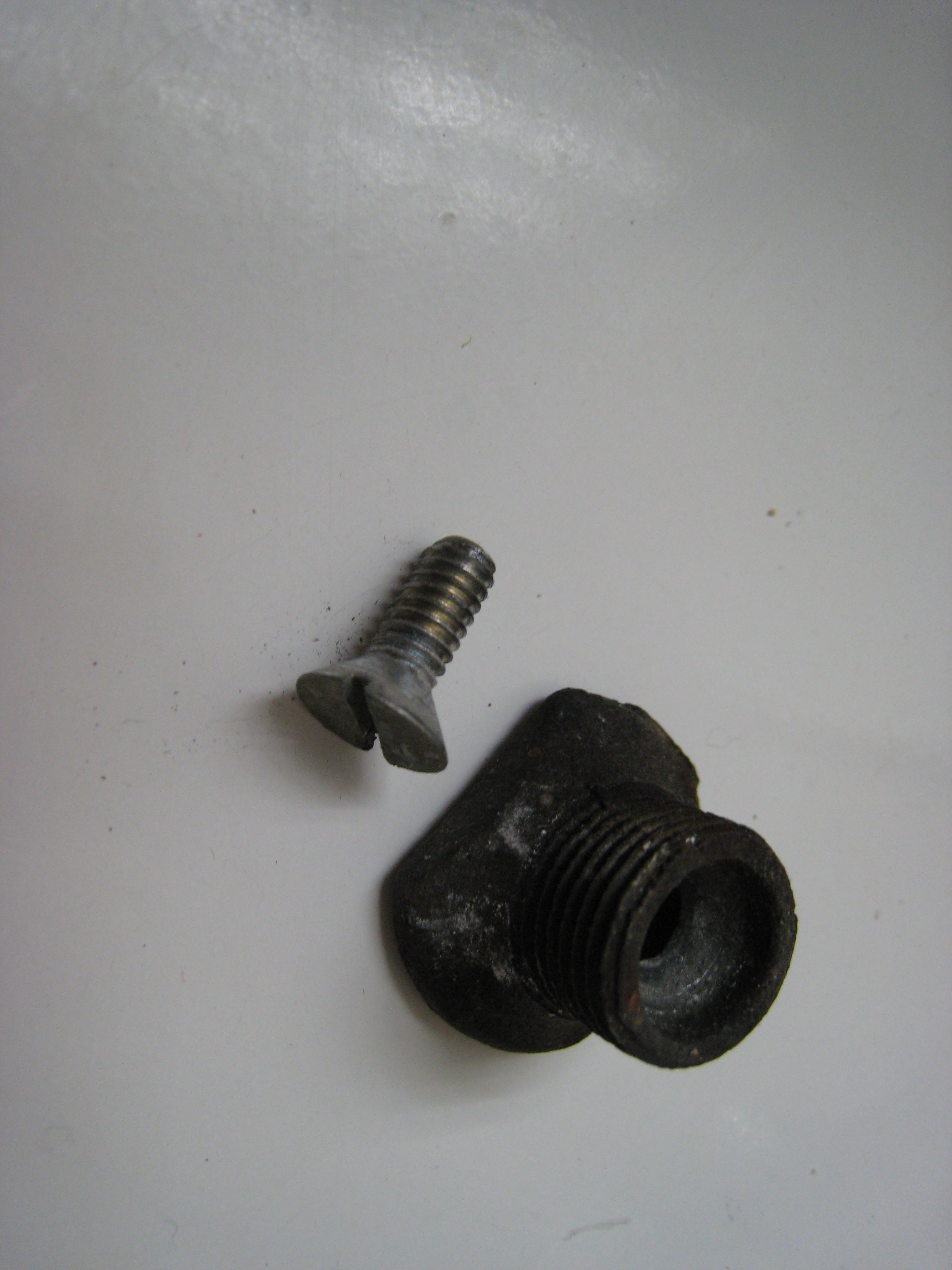
Sleeve and nut for ceiling mount
You put the ceiling box over the nut (through the center knockout in the box) and attach a sleeve that has a whole in the back to line up with the nut. Then screen in the set screw which acts to hold the ceiling box on the bracket and sets against the rod so that the nut doesn’t slide any more.
Of course once I had seen this a few times I discovered it at my neighborhood True Value. They still make similar brackets. I’m sure, if I ever install overhead fixtures elsewhere, that I’m likely to end up using one some day.
So we’re doing a bunch of work targeted at netbooks and I ordered a couple for testing and to get a feel for how they are or can be used. First impressions are important and between the manufacturers and Microsoft they have a long way to go before they’ll be as sexy as a Macbook.
Toshiba Mini and Asus Eee PC
Unpacking
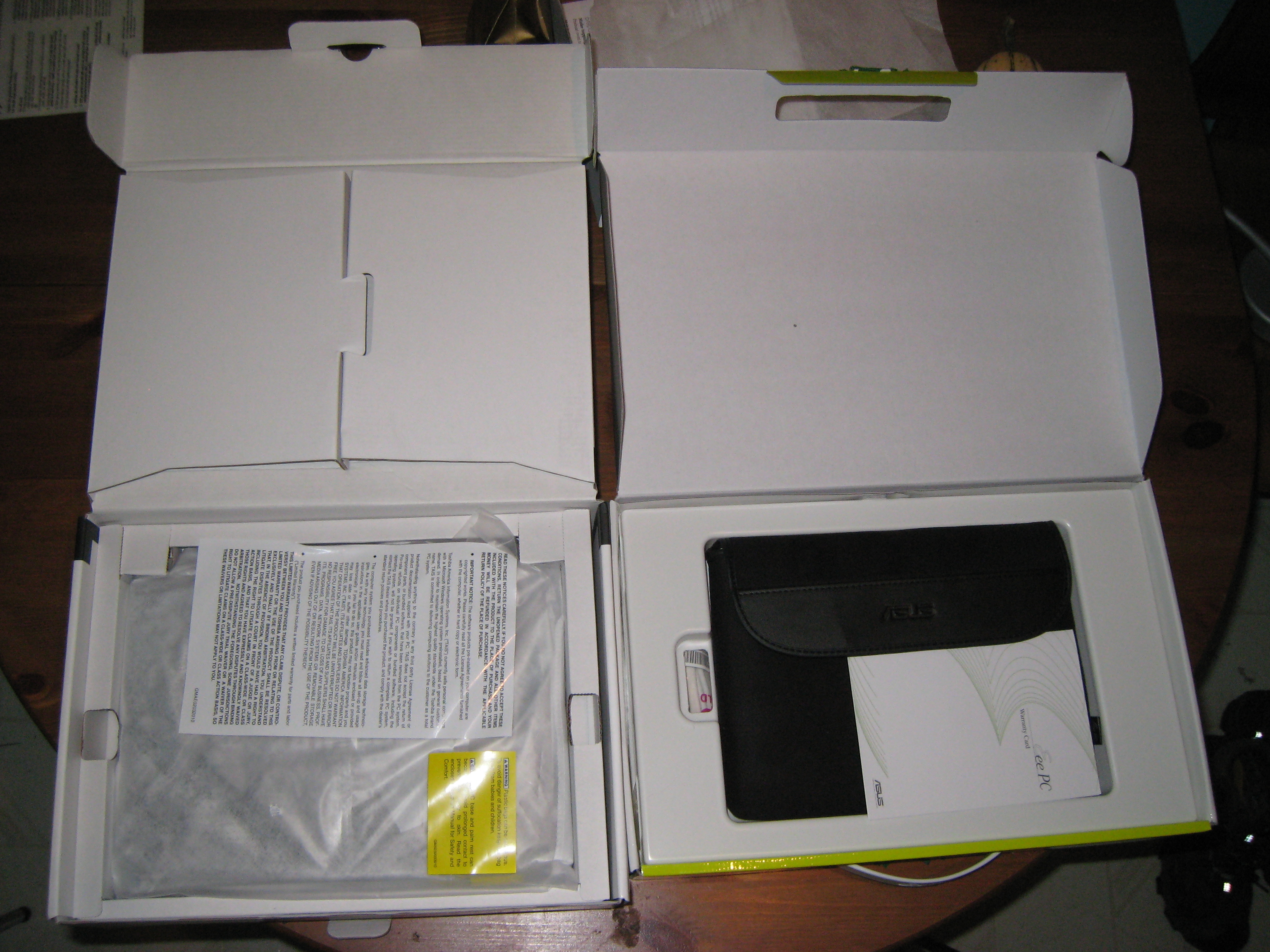
I ordered an ASUS Eee PC T91MT (link is T91 before Multi-touh was added) and a Toshiba Mini NB205-N230. Straight from the box, Asus has a much sexier packaging, but is less eco-friendly (the Netbook sits in a plastic shell). It was charged, however, which meant I could use it right away (well, see notes about start up below). The Toshiba was not. Come on folks, Apple did this ten years ago (or thereabouts) when they shipped the first iPod. People want to use your product out-of-the-box. Ship it charged.
The Eee PC also came with a nice soft case. Granted it was $200 more, so they can do that, but it was a nice touch. Better than the silly white disposable fabric packaging covered in warnings from Toshiba.
The Eee PC is a 9″ screen with a tablet format (the screen swivels around and lays down so that it works like a tablet. This was compelling enough to get, but they just released a multitouch version (T91MT) which I figured would make it feel like using my Macbook. Almost. The scroll and rotate are nice, when they work and it was nice just to have those gestures there.
Start up
Both of these ship with Windows 7 which is really too much of a resource hog for these little machines. The Eee PC has Windows 7 Home Ultimate and it is slow, slow, slow. The Toshiba Mini has Windows 7 Starter Kit which performs a little better (also, it has a faster processor 1.66GGhz N280 vs. 1.33 GHz Z520 on the Eee PC). Starter Kit, from what I can tell, is the stripped bare version of Windows that Microsoft made for Netbooks to compete with Linux. Then they try very hard to get you to upgrade to Home edition for a mere $90. Really? I just paid $300 for a computer and you want me to pay a 30% premium? Take a lesson from the extended warranty dealers — people will pay about 10% over the purchase price at checkout for added value but not more.
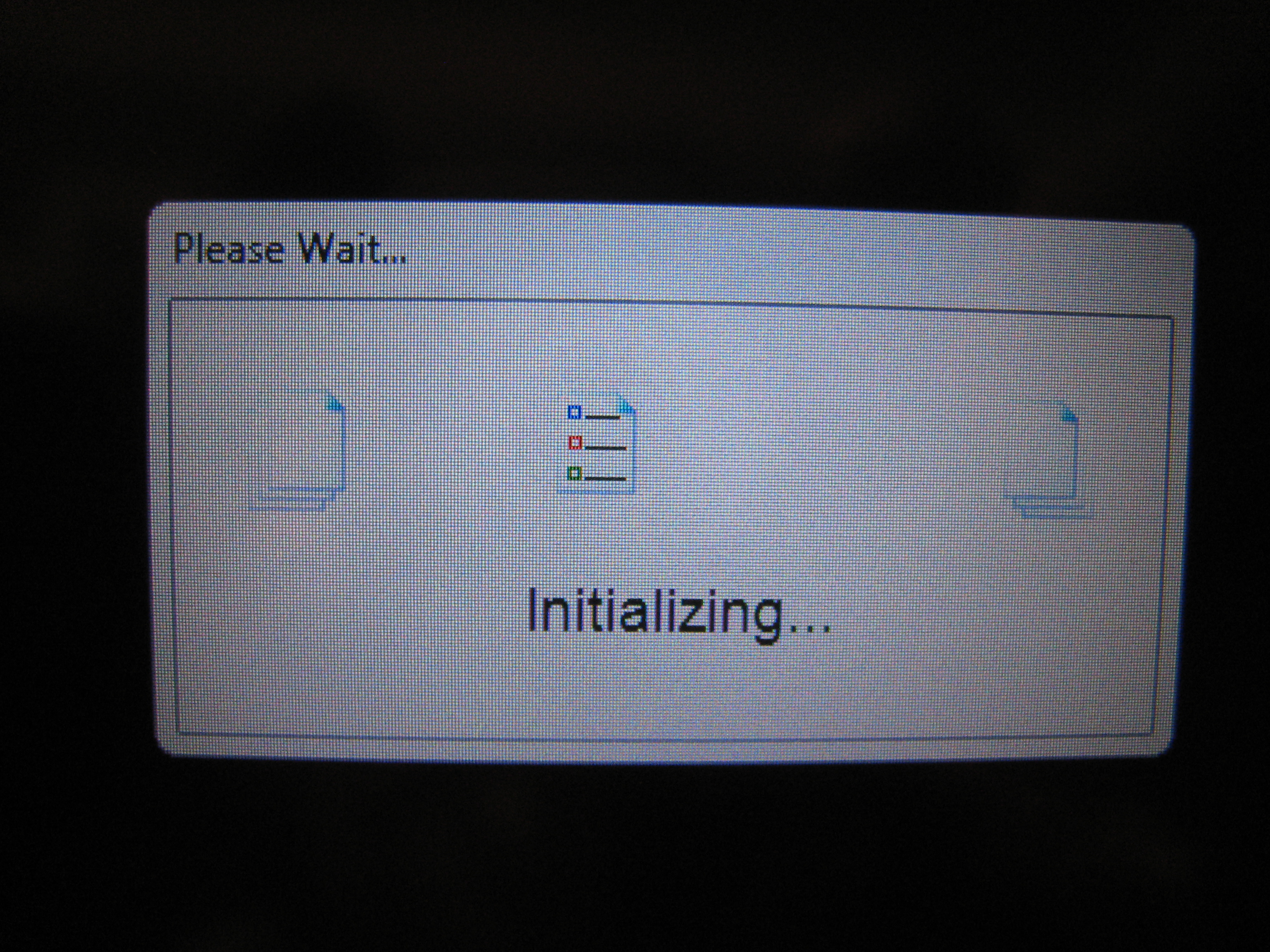
Please Wait to use your new computer...
Apparently Microsoft has decided to ship their OEMs a disk image that can be dropped onto any computer and does the device discovery and installation on “first run.” Sure it makes it easier to install Windows on these machines (because they all have the same image), but it means to use a brand new machine with Windows 7 installed, the machine has to go through a lengthy (and not very sexy) installation period. On the Eee PC this took nearly 45 minutes between first power on and when I could use any software. Most of the time was watching the really silly animation shown at right (I don’t know if this is Microsoft software or Asus software, probably the latter).
The Toshiba Mini fared better. About 15 minutes from plugging in and turning on to using it. During this time I saw the screen shift between Windows 2000-style dialog layouts to Aero-style several times and a few rendering errors in the process. This didn’t really give me a lot of faith in the product.
A later post gives some of my impressions of using the two netbooks (once I’ve spent more time on the Toshiba Mini). I will repeat that so far I am not impressed with Windows 7 on a 1.33Ghz machine. It’s just not fast enough.
A few years ago our dog got all wigged out in the fall and we realized it was because there were rats in the house. They don’t call it Rat City for nothing. I didn’t worry about it too much until they got out of the walls and into the living space. Then the war was on. And every fall I set out new traps and they leave (after I catch a couple).
Of course I also put heavy duty hardware cloth over anything along the roof lines that looked like a whole. This seems to have helped keep them out of the walls (the crawl space is a different issue).
While working on The Bathroom Project I found that in the crawlspace behind the tub wall was knob-and-tube wiring covered with old cellulose insulation (there’s a whole other post that I’ll devote to that some day). The insulation wasn’t doing much good and was clearly a fire hazard so L and I took a couple days to clean it out. That’s got to be the dirtiest job I’ve ever done.
While digging in the corners I found a huge rats nest. Not like a lot of wires together (there were a few of those). A real rats nest. It clearly hadn’t been used in years (since I plugged up their access holes) but it was still gross.
And of course the rats had decided that metal wires running through their nest were a nuisance so they chewed through them.
Yep, we had live, bare electrical wires sitting in cellulose insulation and whatever else the rats put in their nests. Now I’m not feeling so friendly about sharing my house with rats. Luckily this didn’t start a fire and luckily The Bathroom Project has expanded to a grade where I found this.
Email servers are so complex to manage that I can’t really justify running my own. Still I do. Unfortunately, there’s a known bug in the old version of SquirrelMail that’s available for Ubuntu Hardy that causes your inbox to be emptied sometimes when you try to empty your trash. Yeah, it’s quite a bug.
So this happened (again) and I needed to recover it. My hosting company does daily image of my machine, so the best I could do was recover the email from midnight before the day it dropped. Still that’s 741 messages, so it needs to be recovered.
I restored the backup image to a new server as step number one. This allowed me access to the messages without affecting anything else on my server.
Then I installed fetchmail and read up on how to use it. After some mistakes (that caused 100+ bounce messages) I got the mail transferred, with a couple issues. All messages came marked as ‘unread’ and when I ran it twice (because I made mistakes) the messages got doubled. I’m sure there are options to address this but I got the job done.
The IP address is the image that’s hosting the backup from the day before the loss.
The parameter to -u is the login username on that image. In this case, I have virtual mail configured for IMAP so the login is the full email address.
The parameter to –smptname is the email address to send the email to on the new server. This is critical because if you don’t add this, it will send everything to your own account at localhost. Which may cause 100+ bounce messages if that’s not a valid address. Just saying.
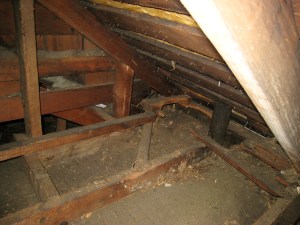 While working on The Bathroom Project I found that in the crawlspace behind the tub wall was knob-and-tube wiring covered with old cellulose insulation (there’s a whole other post that I’ll devote to that some day). The insulation wasn’t doing much good and was clearly a fire hazard so L and I took a couple days to clean it out. That’s got to be the dirtiest job I’ve ever done.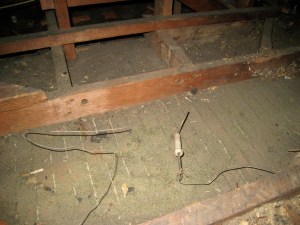
 Jeremy Wadsack